|
Remote Desktop : Client Settings
2017/02/08 |
|
This is how to connect to Remote Desktop session from ClientOS. This exmaple is on Windows 10 Pro.
|
|
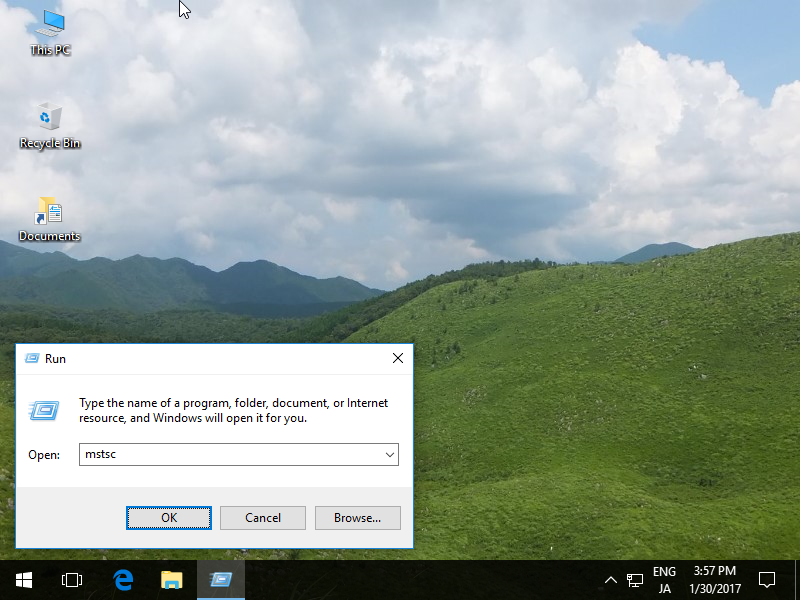
| [1] | Right-click Windows icon and open [run] and input "mstsc" like follows. |
|
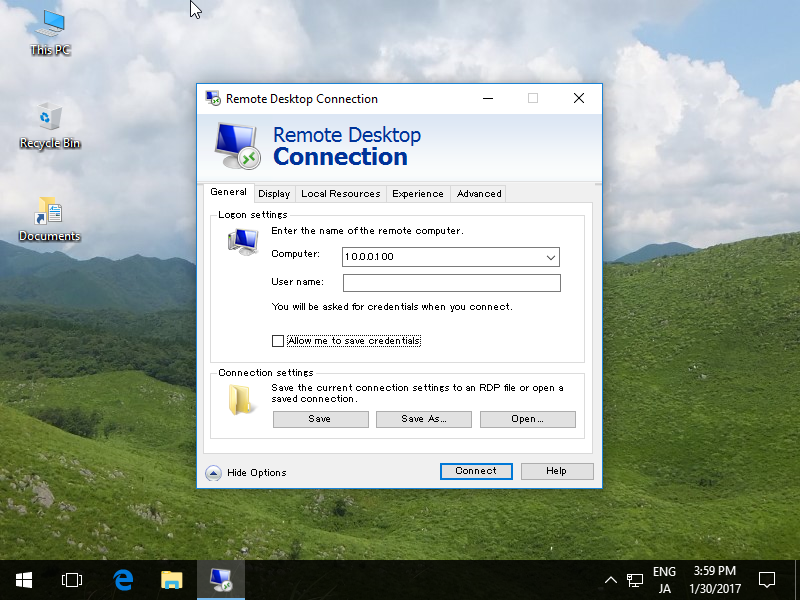
| [2] | Input Hostname or IP address you'd like to connect and click [Connect] button. For other sections, change or set any parameter you like. |
|
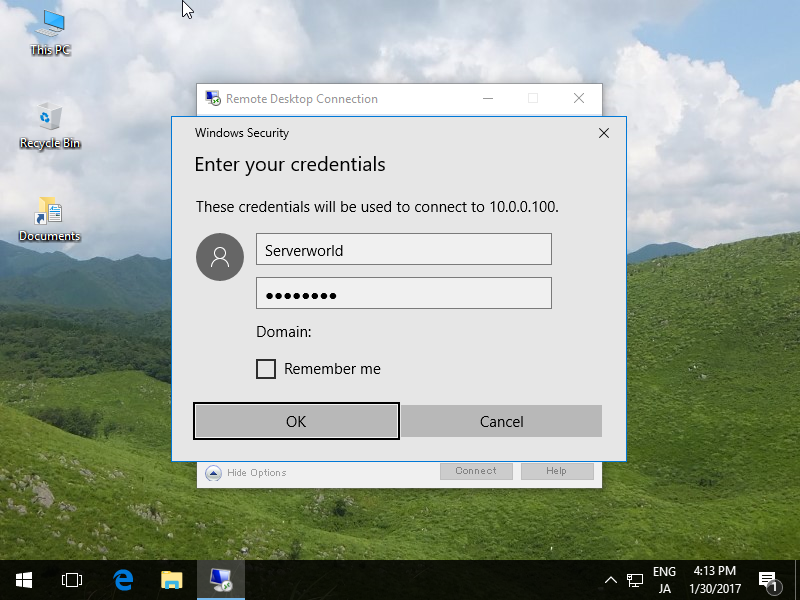
| [3] | Input Username and Password you'd like to logon as. |
|
| [4] | The message for Certificates is shown like follows. Click [Yes] to proceed. |

|
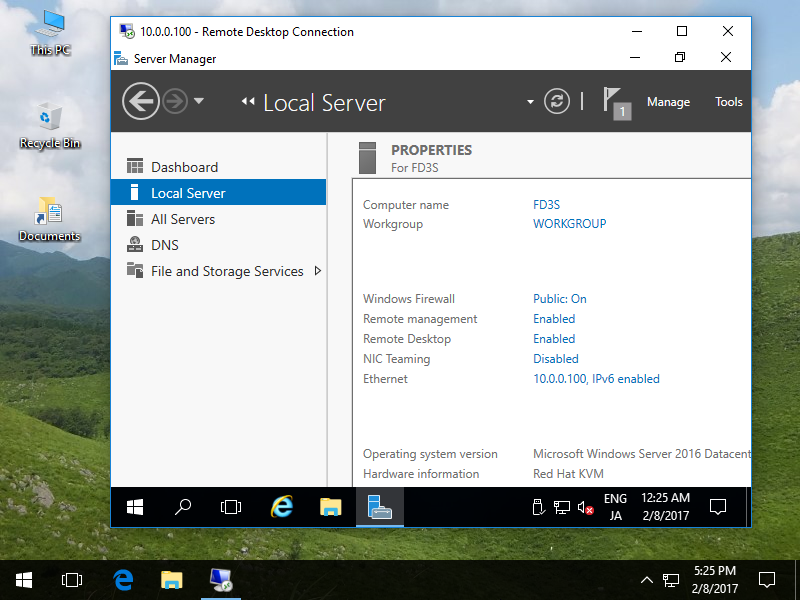
| [5] | Just connected. |
|